


Key takeaways
- Android app development gives businesses access to the largest global smartphone audience, across regions, languages, and price points.
- Native apps built with Kotlin and Jetpack Compose usually perform best, while cross platform options often lower cost for simpler products.
- A structured process of requirements, design, development, testing, deployment, and maintenance reduces expensive rework.
- Cost depends on feature complexity, design, integrations, backend needs, and post-launch updates, not only the initial build.
- Device fragmentation and security are the main risks, so test on real devices and plan for ongoing updates.
Android app development is the process of designing, building, testing, and publishing apps for Android devices. For a business, it is one of the most direct routes to customers, because Android runs on most smartphones worldwide. A well-built app helps people shop, book services, or manage accounts in a few taps.
The work goes well beyond writing code. It covers planning, market analysis, user experience design, and rigorous testing. Each stage decides whether the finished app is stable, useful, and worth keeping on a phone. Teams that follow these stages in order, and adapt them to the business, usually ship apps that stand out.
Every time a customer unlocks their phone, your app gets a chance to solve a problem. This guide covers the essentials of android app development, from shaping the idea to optimizing after launch. It also covers cost, common risks, and where the platform is heading.
Why Choose Android App Development for Your Business
Android is a strong choice when reach, device variety, and customization matter more than a single premium audience.
Global Reach Across Devices and Regions
Android powers the majority of smartphones worldwide. An Android app can therefore reach users across regions, languages, and income levels from day one. That matters most in markets such as India, Southeast Asia, and Latin America, where Android devices dominate.
If your audience sits in these regions, starting on Android is usually the easier call. A reliable Mobile App Development Company can check that assumption against your analytics before design work begins.
Why Android App Development Suits Custom Features
Android is built on an open source foundation, which gives developers more freedom to customize behavior and integrate hardware features. Retail, healthcare, education, and entertainment brands all use this flexibility to build tailored experiences. Regular Google platform updates and a large developer community also keep tooling and documentation strong.
That freedom has a cost: more device variety means more testing, which we cover in the challenges section.
Key Benefits of Android App Development
The main benefits of Android app development are device coverage, customization, and a release process built for iteration.
Device Range and Market Coverage
Android runs on everything from flagship phones to budget models. One app can therefore serve users at very different price points. That breadth lets businesses reach diverse markets without separate versions of the same product.
Supporting every device is rarely worth it, though. Many teams begin with android app development services to decide which devices and OS versions deserve support, then set a minimum version based on audience data.
Faster Releases and Testing Cycles
Android Studio, Kotlin, and Jetpack libraries make early prototyping straightforward. Google Play also lets teams release to a small test group first, collect feedback, and expand the rollout once the numbers look healthy.
Costs can be competitive because the tooling is free and the developer pool is large. Total spend still depends on how many devices you support and how complex the app is.
The Android App Development Process Explained
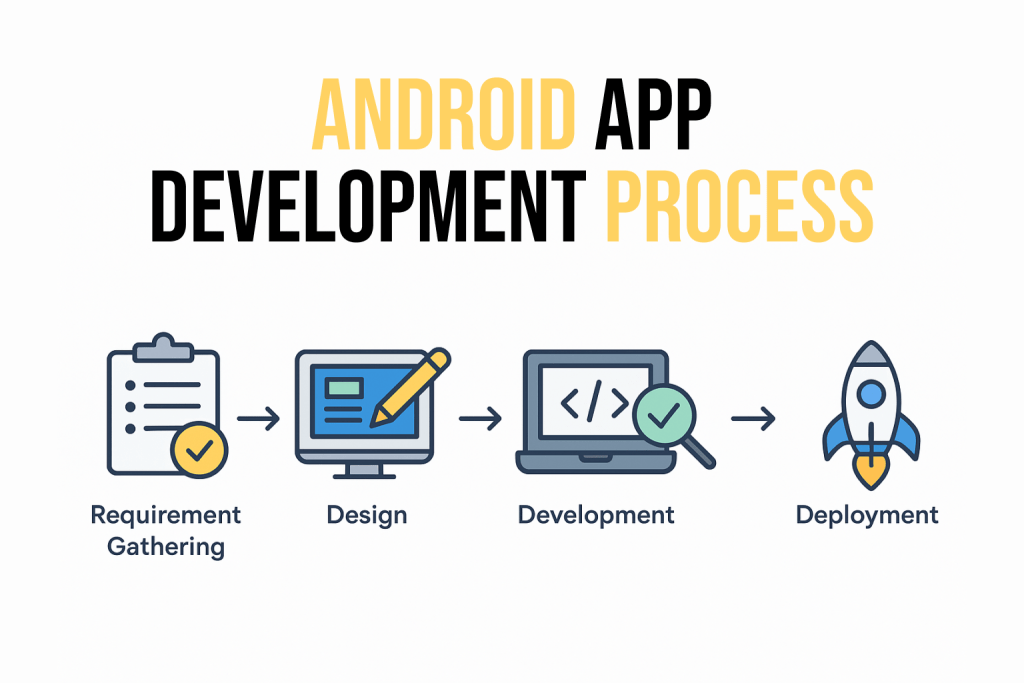
A typical Android app moves through six stages: requirement gathering, design, development, testing, deployment, and maintenance.
Requirements and Design Come First
Requirement gathering defines the business goal, target audience, and must-have features. Skipping it is a common reason projects drift in scope and budget later.
Once requirements are clear, UI and UX specialists build wireframes, visual layouts, and user flows. For Android, that includes following Material Design guidelines so the app feels familiar to users. The App development lifecycle explained guide breaks these stages down further.
Building, Testing, and Launching Your Android App
Development is where the code gets written and backend systems get connected. Most modern Android apps are built in Kotlin, Google’s preferred language, using Android Studio and Jetpack Compose for the interface. Java remains supported, and many older apps still use it. Developers focus on clean, scalable code so the app can grow over time.
Testing and quality assurance then confirm the app runs properly across devices, screen sizes, and Android versions. Bugs are fixed, performance is tuned, and security checks are tightened before release.
Google Play reviews every submission, so a rejected build can delay launch. An experienced android mobile app development company reduces that risk. After deployment, maintenance and updates keep the app relevant and functional.
Cost Factors in Android App Development
The cost of Android app development depends mainly on feature complexity, design requirements, integrations, and backend infrastructure. A simple app with basic functions needs less time and fewer resources than a feature-rich product with advanced integrations. Setting realistic expectations early helps avoid hidden expenses mid-project.
Native vs Cross Platform Choices
The biggest single decision is native versus cross platform. Native Android apps usually deliver better performance and deeper device access. They can cost more if you also need an iOS version.
Cross platform frameworks share code between the two platforms, which often reduces cost for simpler products. A cross platform app development company can compare both routes against your feature list. For products that depend on camera, Bluetooth, or heavy animation, native is usually the safer choice.
Post-Launch Costs You Should Budget For
Launch is not the end of spending. Updates for new Android versions, bug fixes, server hosting, and monitoring all continue after release. Cutting corners here lowers app quality and hurts retention over time.
Many teams set a maintenance budget alongside the build cost. Ongoing mobile app development services can cover updates and support.
Common Challenges in Android App Development and How to Overcome Them
The most common challenges in Android app development are device fragmentation, performance trade-offs, and security.
Device Fragmentation and Performance
Android runs on thousands of device models with different screen sizes, chipsets, and OS versions. Keeping behavior consistent across them takes planned testing, not last-minute fixes.
Performance is the second pressure point. An app that drains battery or memory gets uninstalled quickly. Every added feature should justify its resource cost. Agile sprints and continuous testing on real devices help, and crash and ANR (app not responding) data from Android vitals in Google Play Console shows where users actually struggle.
Security and Choosing an Android Development Team
Apps handle payments, personal details, and login credentials, so security cannot be an afterthought. Strong encryption, secure authentication, and regular dependency updates are the baseline. The Mobile App Security Best Practices guide covers these controls in detail.
Team choice affects all of these risks. A capable android application development company should explain how it tests devices, handles security, and supports apps after launch.
Future Trends in Android App Development
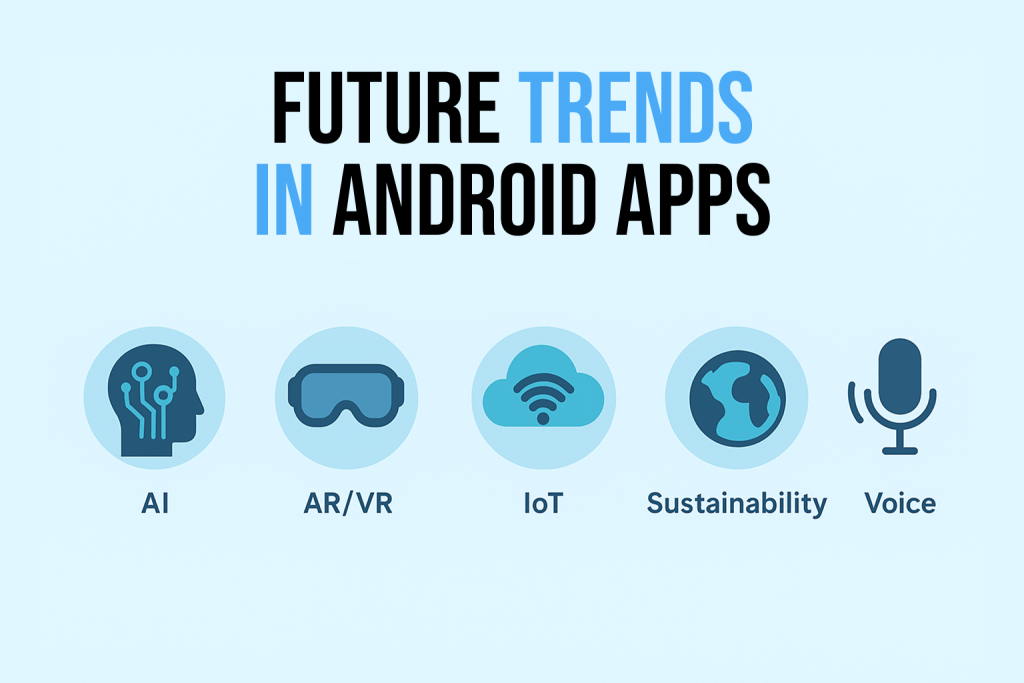
Android app development is moving toward AI-driven features, immersive interfaces, connected devices, and lighter, more efficient apps.
AI, Voice, and Immersive Experiences
Artificial intelligence and machine learning are becoming standard, powering personalized recommendations, predictive analytics, and smarter automation. Voice interfaces and conversational AI let users interact with apps more naturally.
Augmented and virtual reality are also growing, from immersive shopping previews to interactive learning tools. Not every app needs AR or VR. For many products, a well-tuned core experience earns more engagement.
IoT and Sustainable Apps
The Internet of Things is pushing Android apps to connect with wearables, smart home devices, and vehicles. Sustainability matters too, as developers cut battery use and data transfer to make apps lighter.
Teams planning these features often need custom mobile app development, since every integration has its own constraints.

Conclusion
Android app development is a strategic decision as much as a technical project. With the right approach, an app can reach millions of users and create long-term value.
Knowing the benefits, challenges, and cost factors helps you invest in features that matter to your audience. Modern trends such as AI, AR, and IoT can keep the app relevant, provided they solve a real user problem.
If you want a user-focused, high-performing Android app, working with an experienced team is the best first step. Teams in Chennai can work with an android app development company in chennai for design, development, and support.
Android App Development FAQs
1. How long does android app development take?
As a general guide, a focused MVP takes roughly two to four months. A feature-rich app with integrations can run six months or longer. Actual timelines depend on scope, design depth, backend work, and device testing.
2. Should I use Kotlin or Java for android app development?
Kotlin is the better choice for most new projects. Google recommends it for Android, and it offers shorter, safer code than Java. Java remains supported and suits older codebases or teams already fluent in it.
3. Should I build for Android or iOS first?
Start with the platform where most of your target customers are. Confirm that with your own analytics or survey data. Regional share differs widely, so a business serving the US may begin with iOS, while one serving India often begins with Android. Cross platform development is an option when you need both quickly.
4. Does an Android app need a backend?
Not always. Apps that work offline with local data, such as a calculator or note taker, can run without one. Most business apps need a backend for user accounts, payments, notifications, and data sync, so plan the server side early.
5. How do I publish an Android app on Google Play?
Create a Google Play Console developer account and prepare a signed app bundle. Then complete the store listing, the Data safety section, and the content rating before submitting for review. New personal developer accounts may also need to run a closed test first, so check current Play Console requirements early.
6. Is an MVP the right first step for android app development?
Usually yes. An MVP releases only the core features, so you can validate demand and gather user feedback before investing in the full product. It is less suitable for regulated areas such as finance or healthcare, where compliance and security work must be in place before launch.